Transaction Reports
Generate a file with your transactions. It is not downloaded on click: it gets ready in Recent Reports.
- Where: Side menu → Reports → Transactions.
- Who can use it: every access to the account, view-only included.
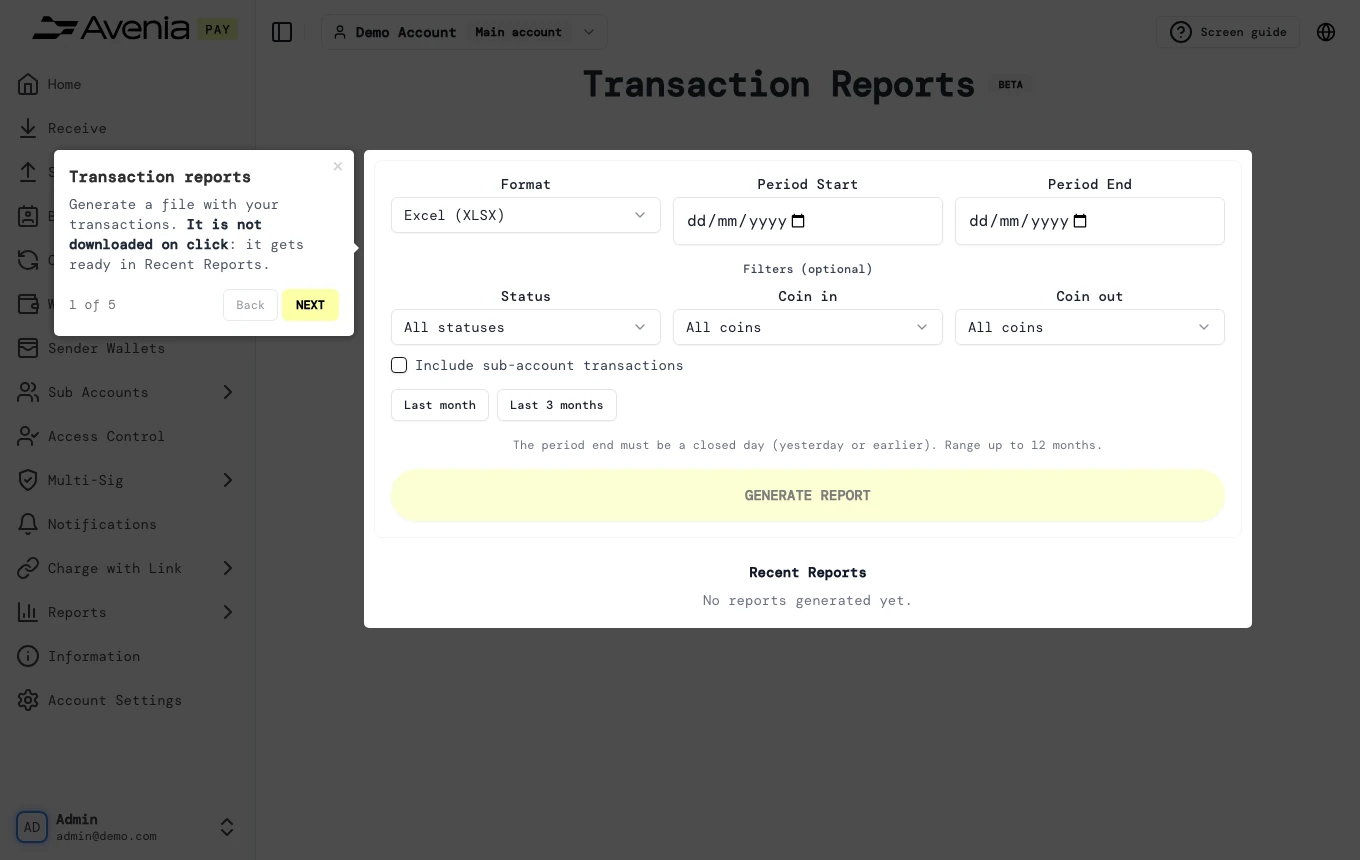
Step by step
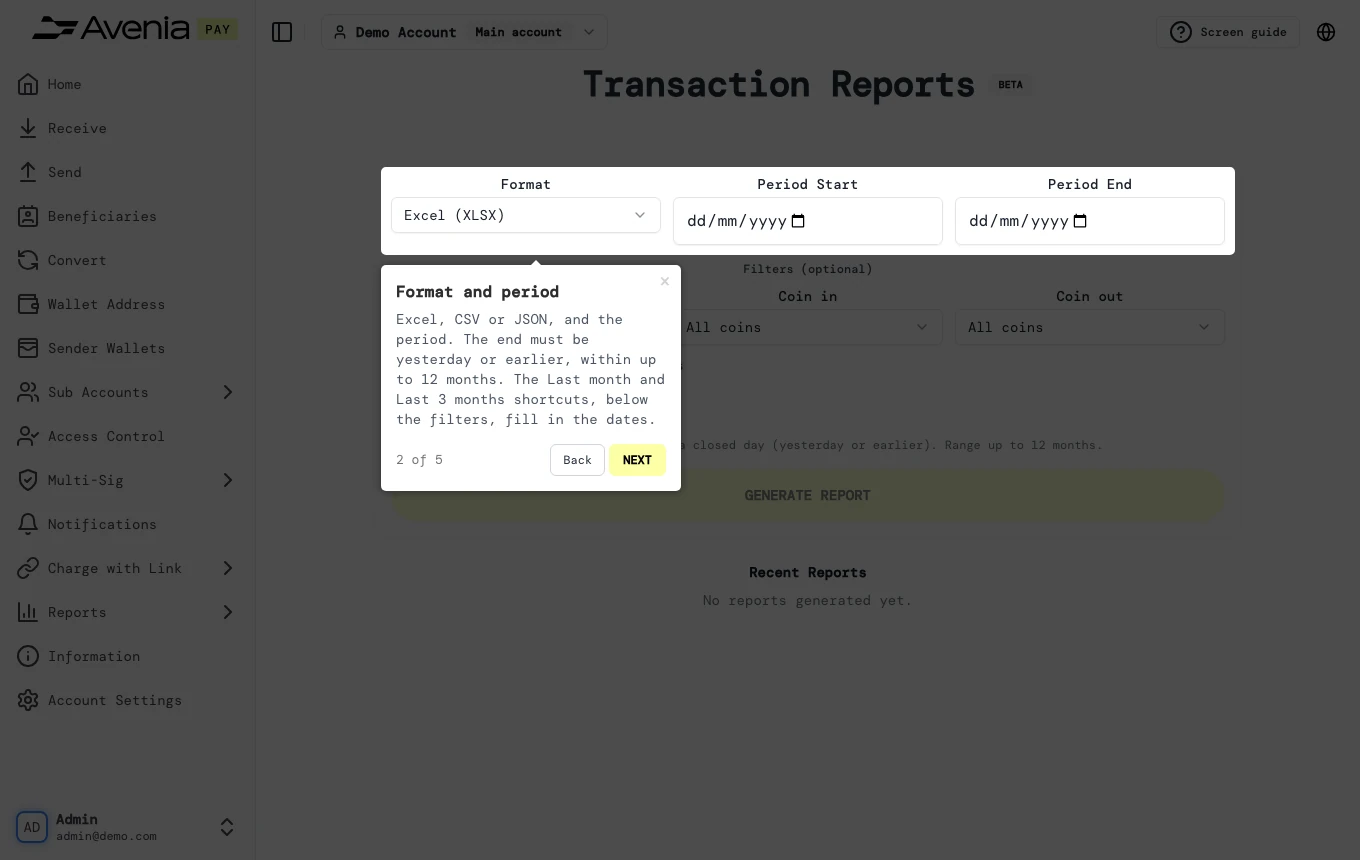
1. Format and period
Excel, CSV or JSON, and the period. The end must be yesterday or earlier, within up to 12 months. The Last month and Last 3 months shortcuts, below the filters, fill in the dates.
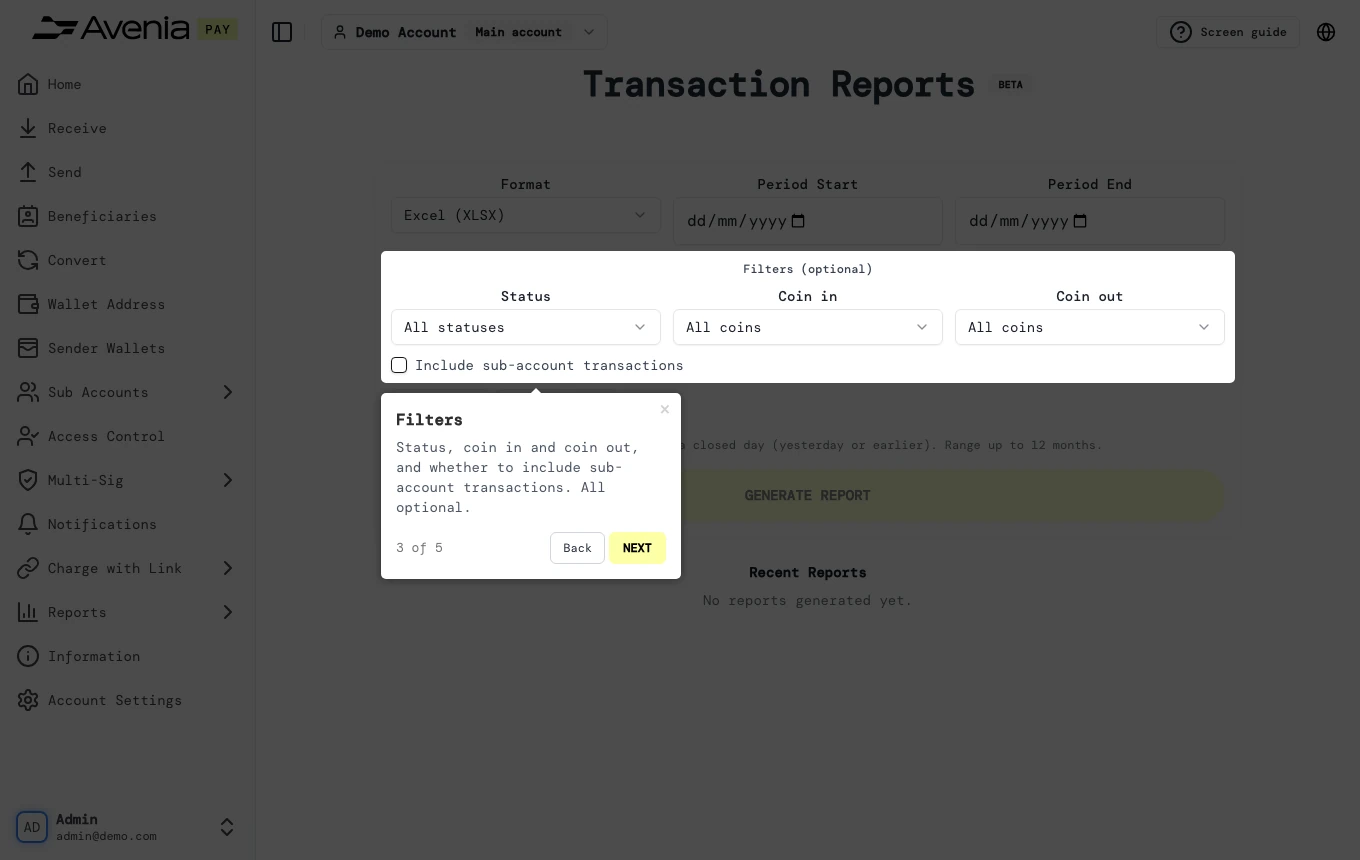
2. Filters
Status, coin in and coin out, and whether to include sub-account transactions. All optional.
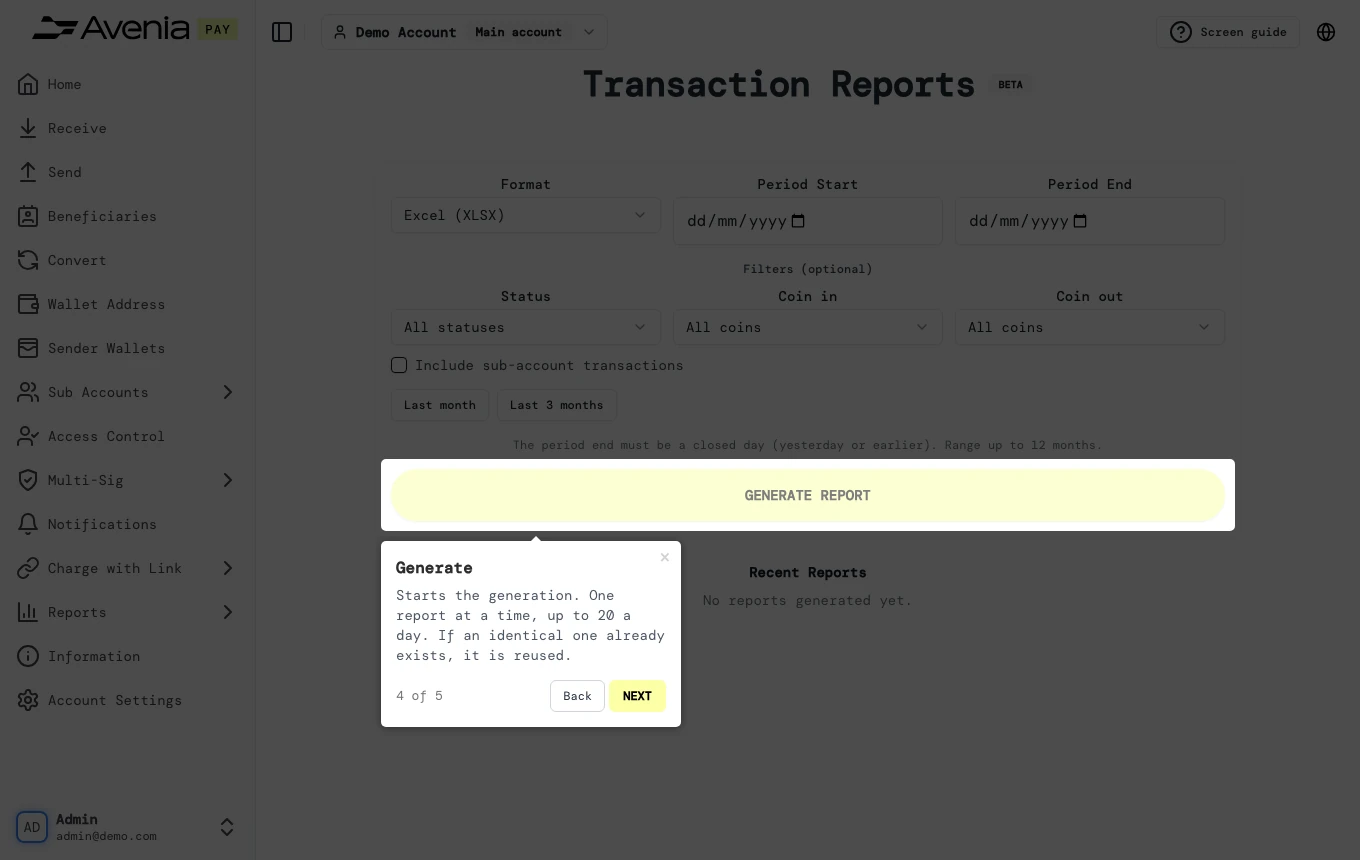
3. Generate
Starts the generation. One report at a time, up to 20 a day. If an identical one already exists, it is reused.
4. Recent
Your latest reports and the status of each. When it shows Ready, use Download.
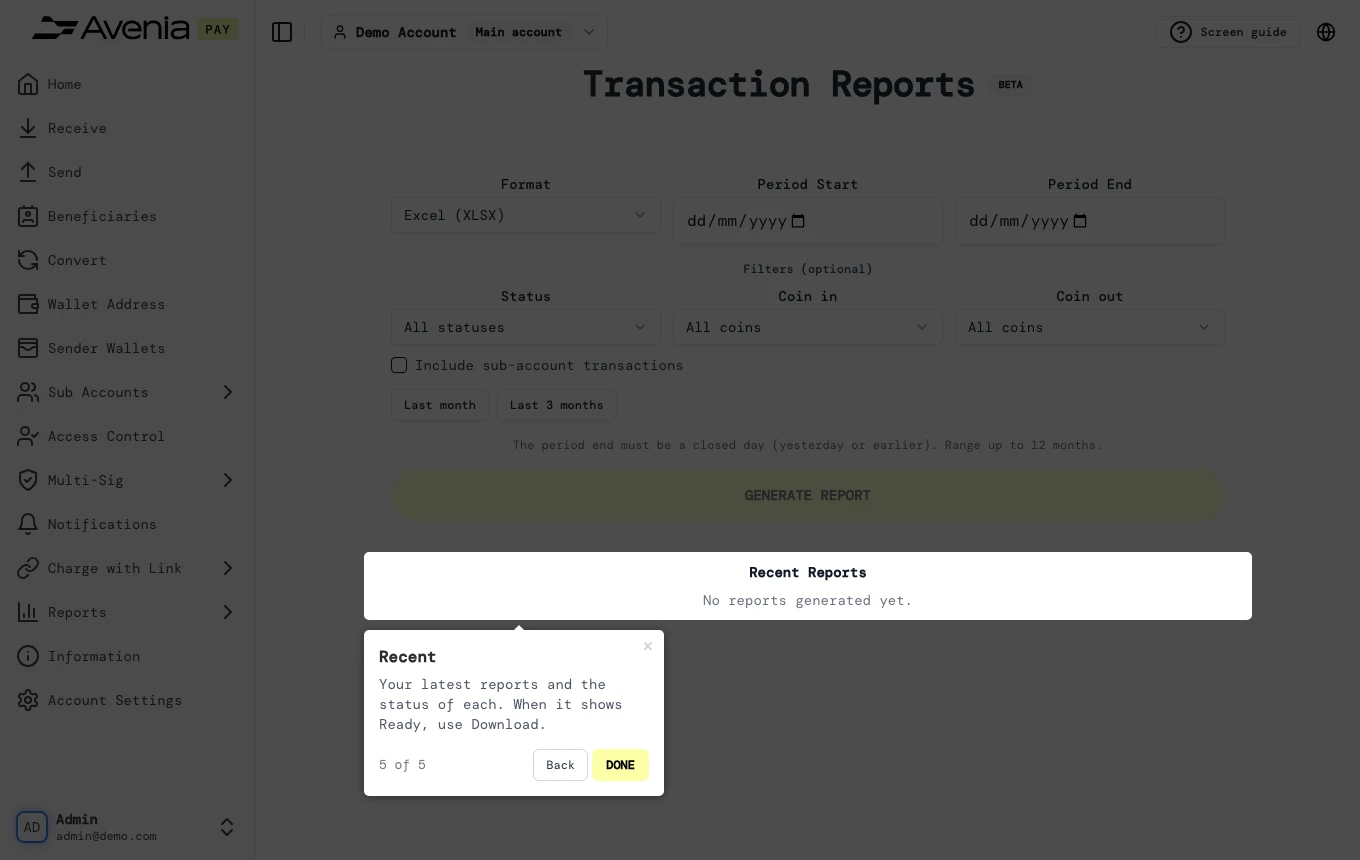
Screen guide
The Screen guide button at the top of this screen in the dashboard walks you through the same steps over your own data.