D0 Settlement
Your D0 trades of the day add up to a net position, settled all at once. Nothing is debited until you confirm the settlement.
- Where: Side menu → EoD Settlement.
- Who can use it: every access to the account, view-only included.
This screen shows only for accounts with end-of-day (EoD) settlement. To use it, contact your Avenia account manager.
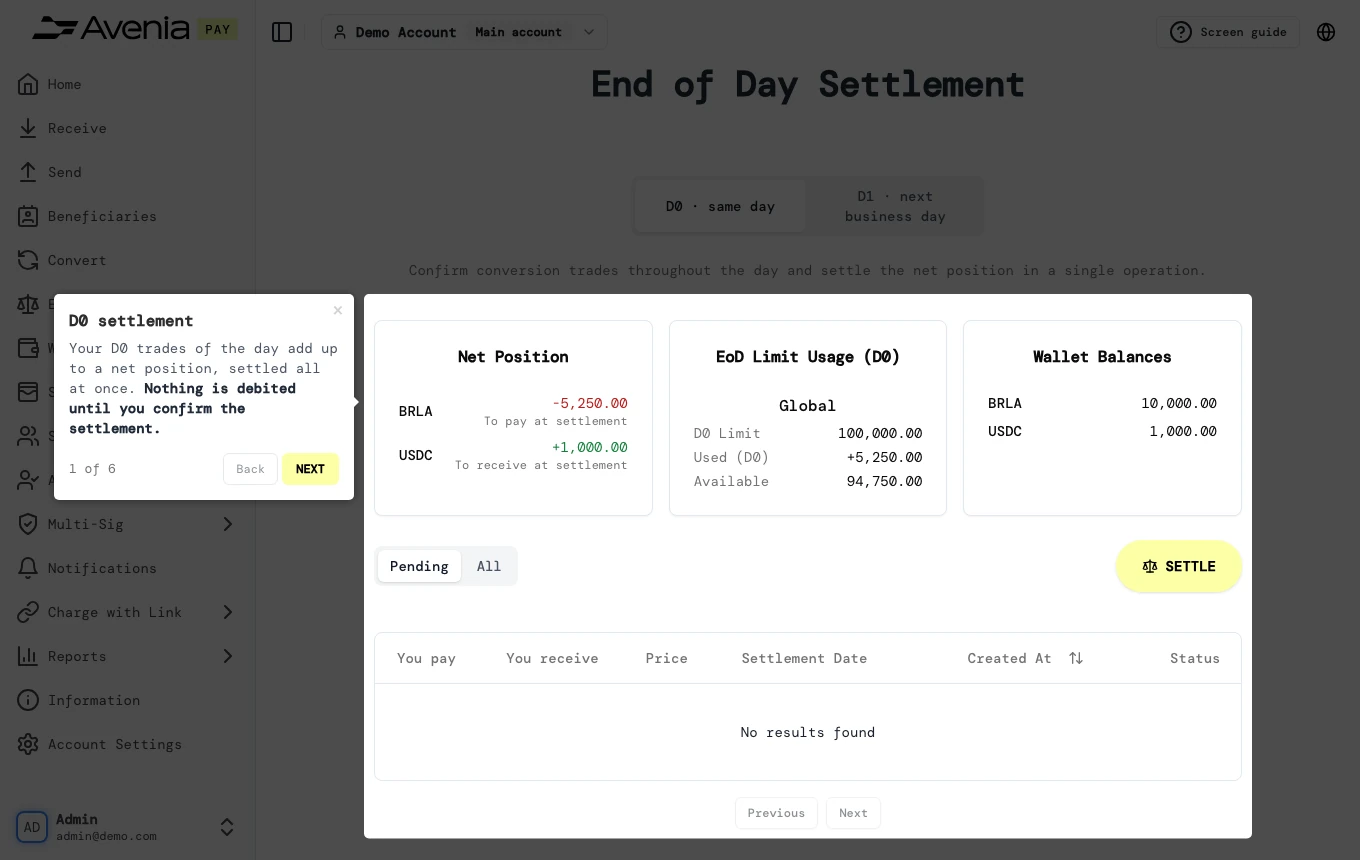
Step by step
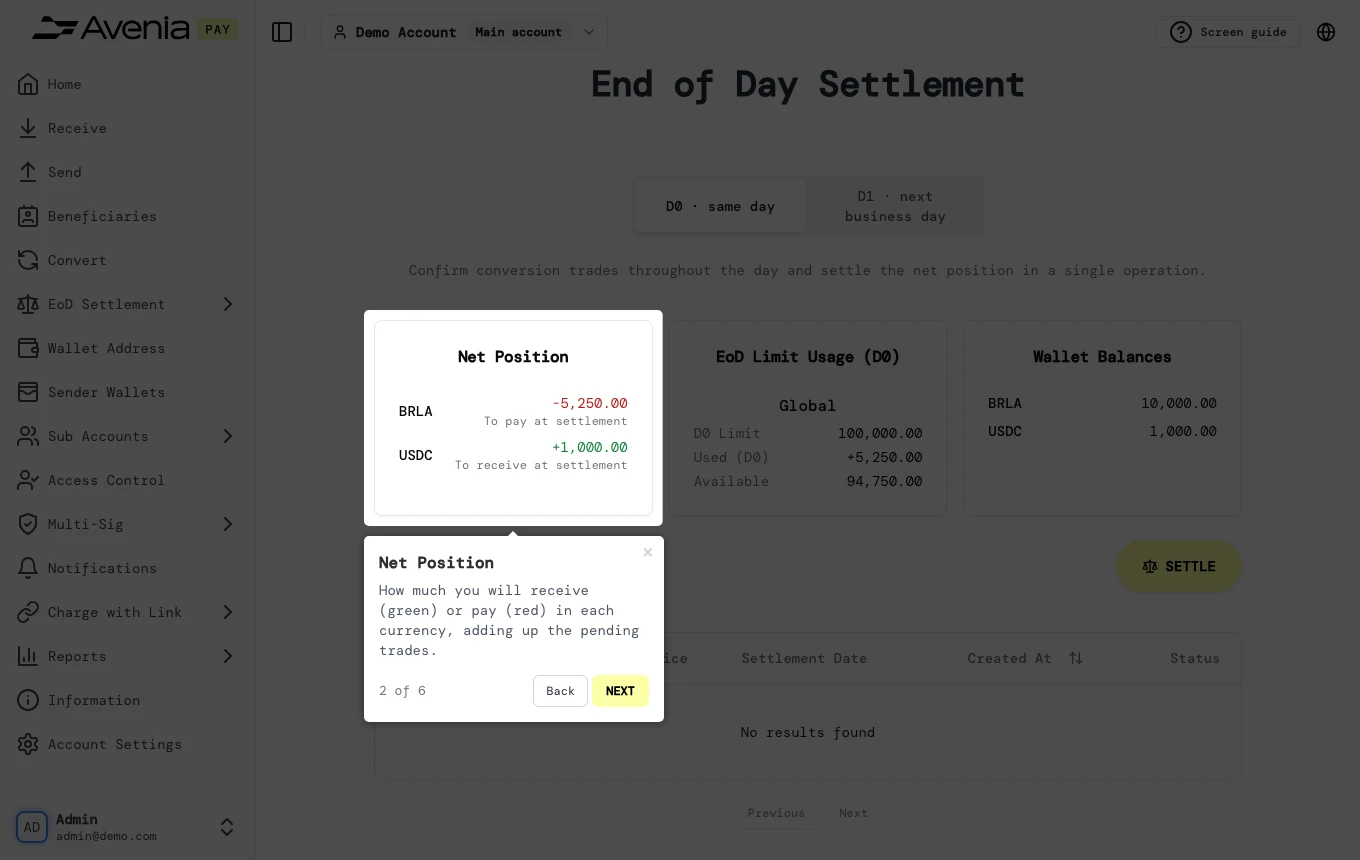
1. Net Position
How much you will receive (green) or pay (red) in each currency, adding up the pending trades.
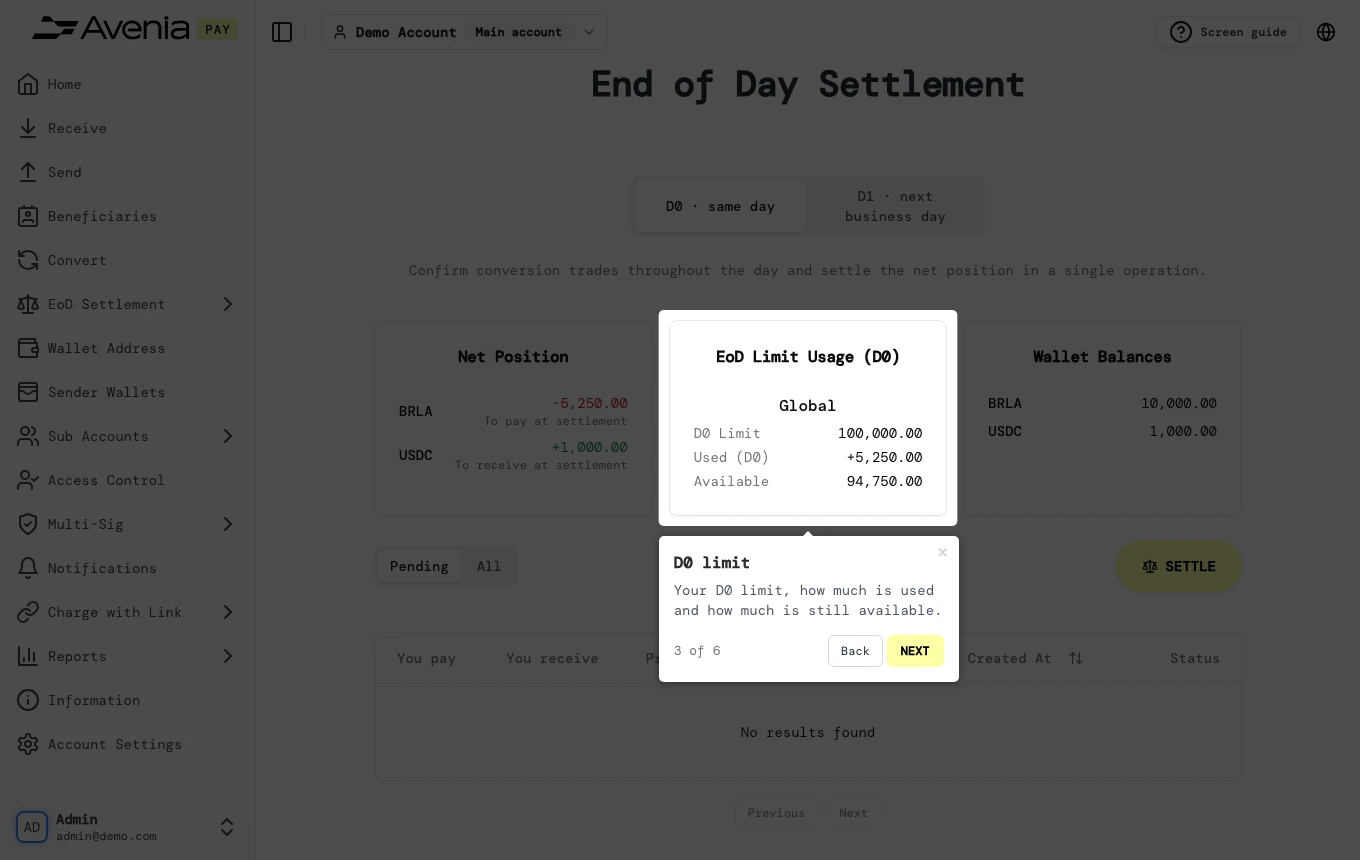
2. D0 limit
Your D0 limit, how much is used and how much is still available.
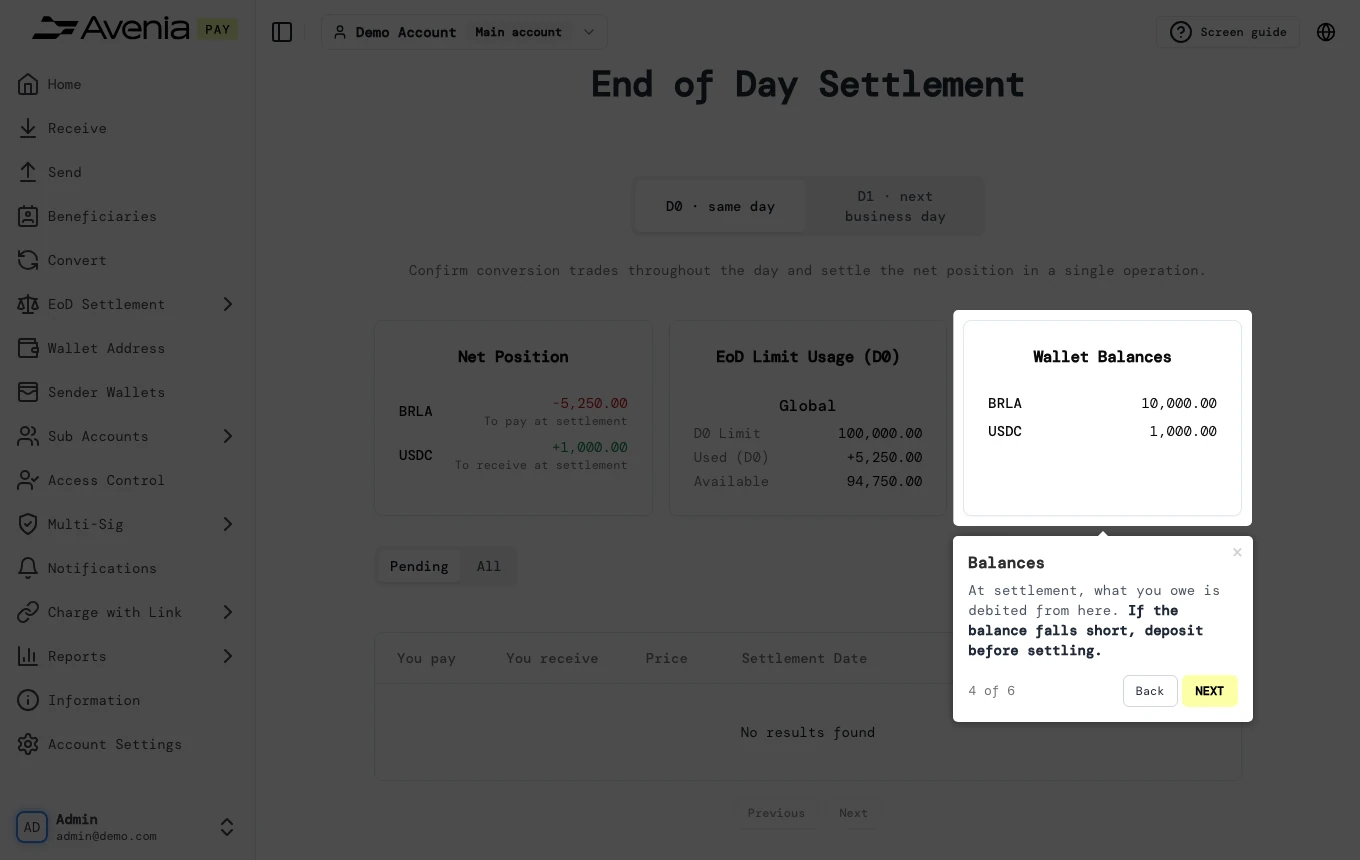
3. Balances
At settlement, what you owe is debited from here. If the balance falls short, deposit before settling.
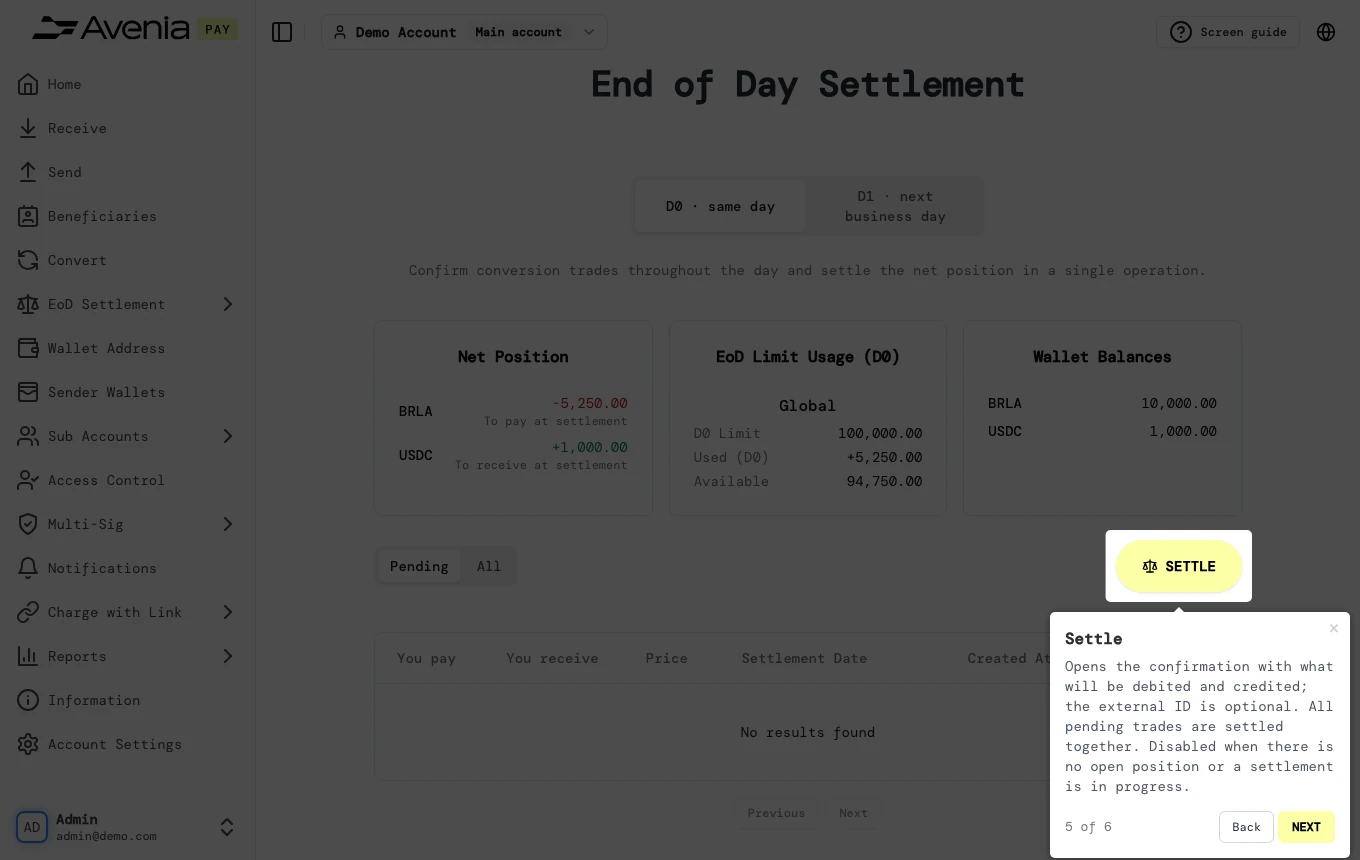
4. Settle
Opens the confirmation with what will be debited and credited; the external ID is optional. All pending trades are settled together. Disabled when there is no open position or a settlement is in progress.
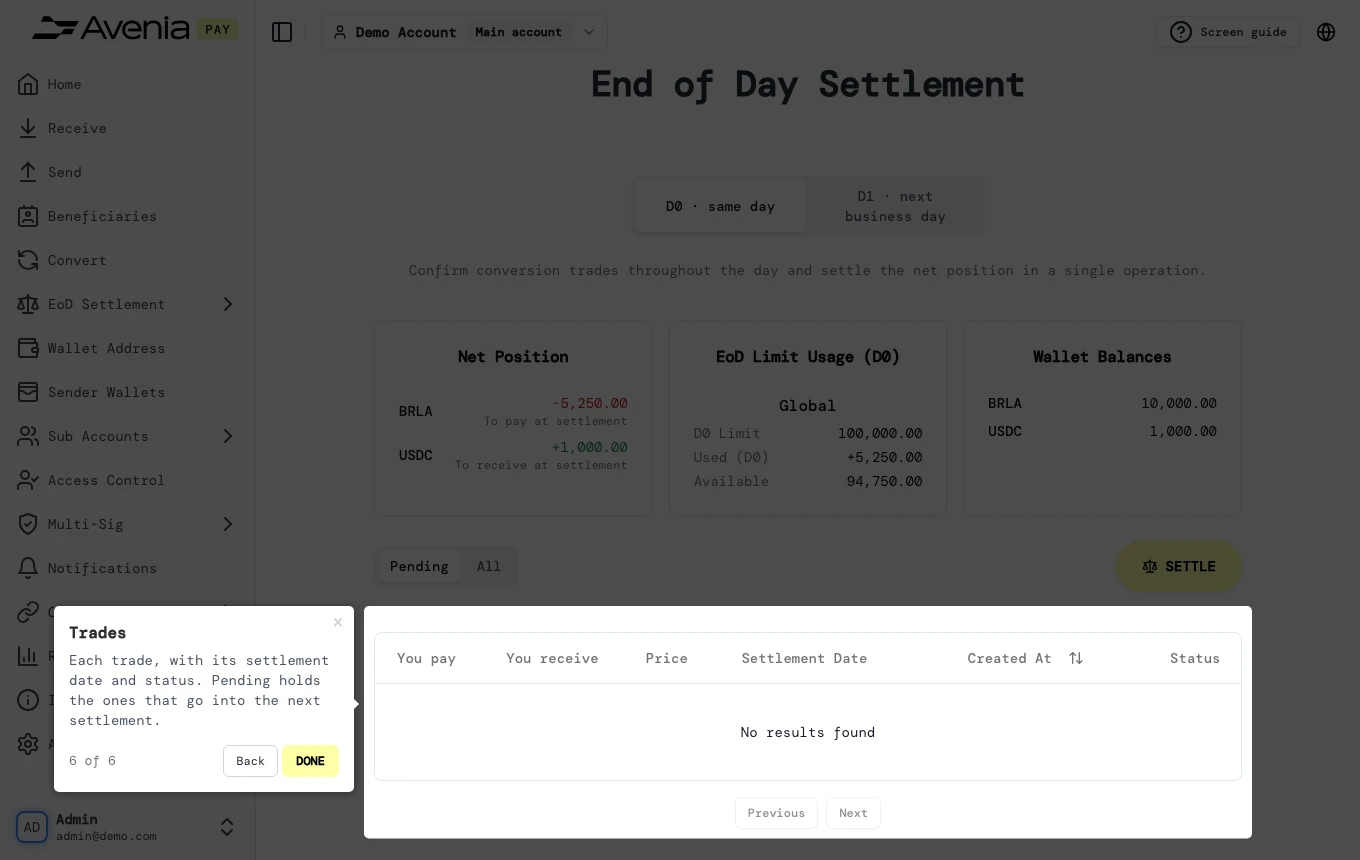
5. Trades
Each trade, with its settlement date and status. Pending holds the ones that go into the next settlement.
The Screen guide button at the top of this screen in the dashboard walks you through the same steps over your own data.