Deposit Crypto
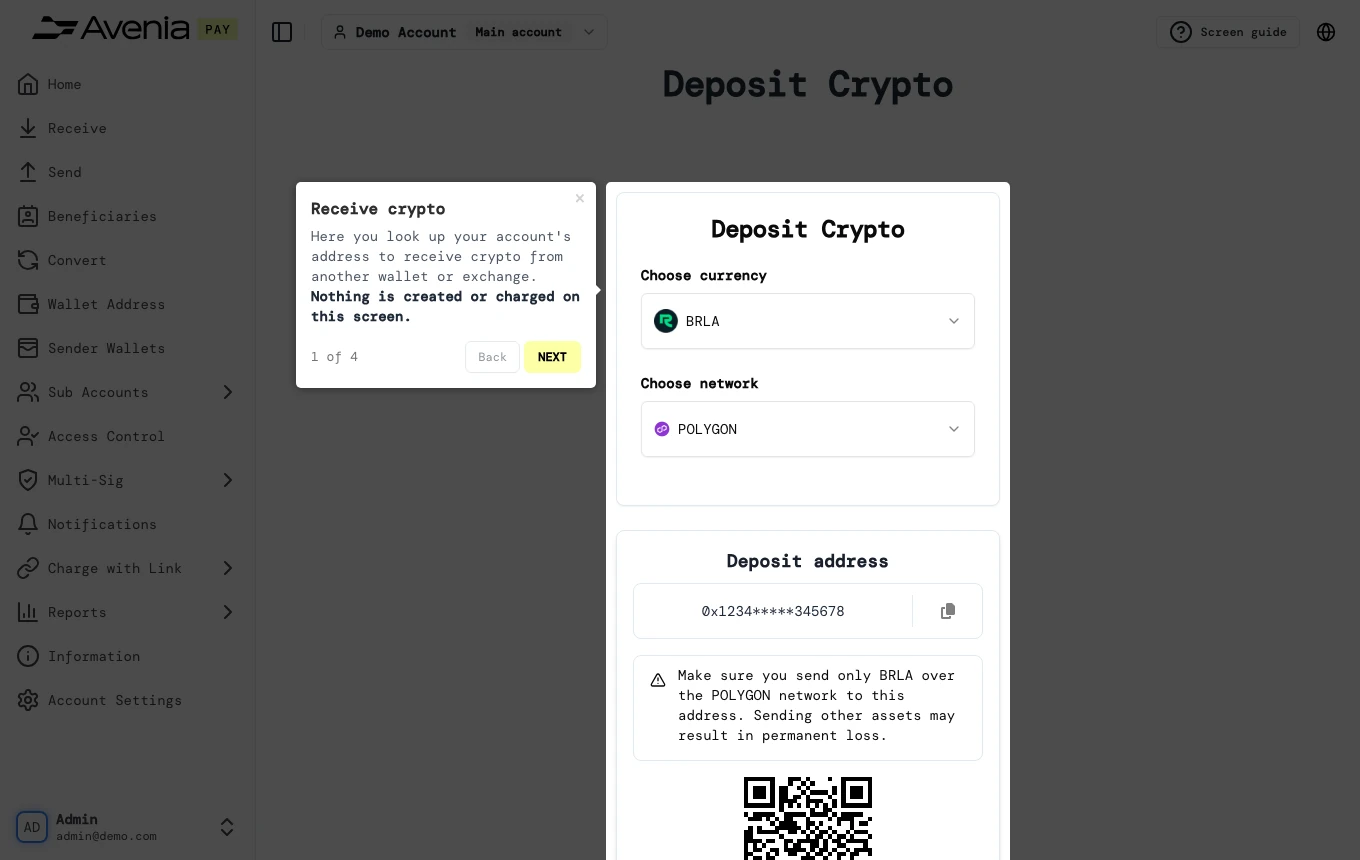
Here you look up your account's address to receive crypto from another wallet or exchange. Nothing is created or charged on this screen.
- Where: Side menu → Wallet Address.
- Who can use it: every access to the account, view-only included.
Step by step
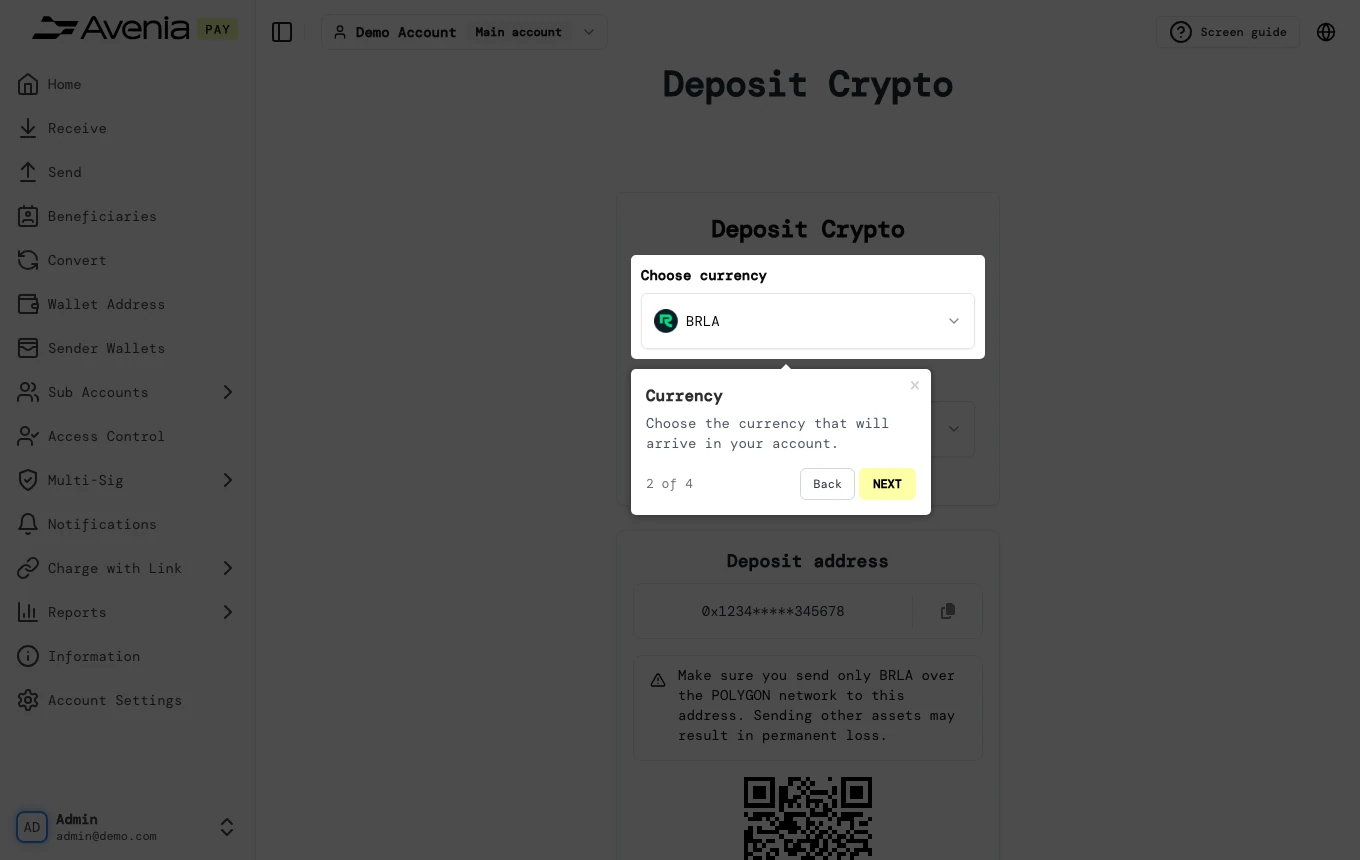
1. Currency
Choose the currency that will arrive in your account.
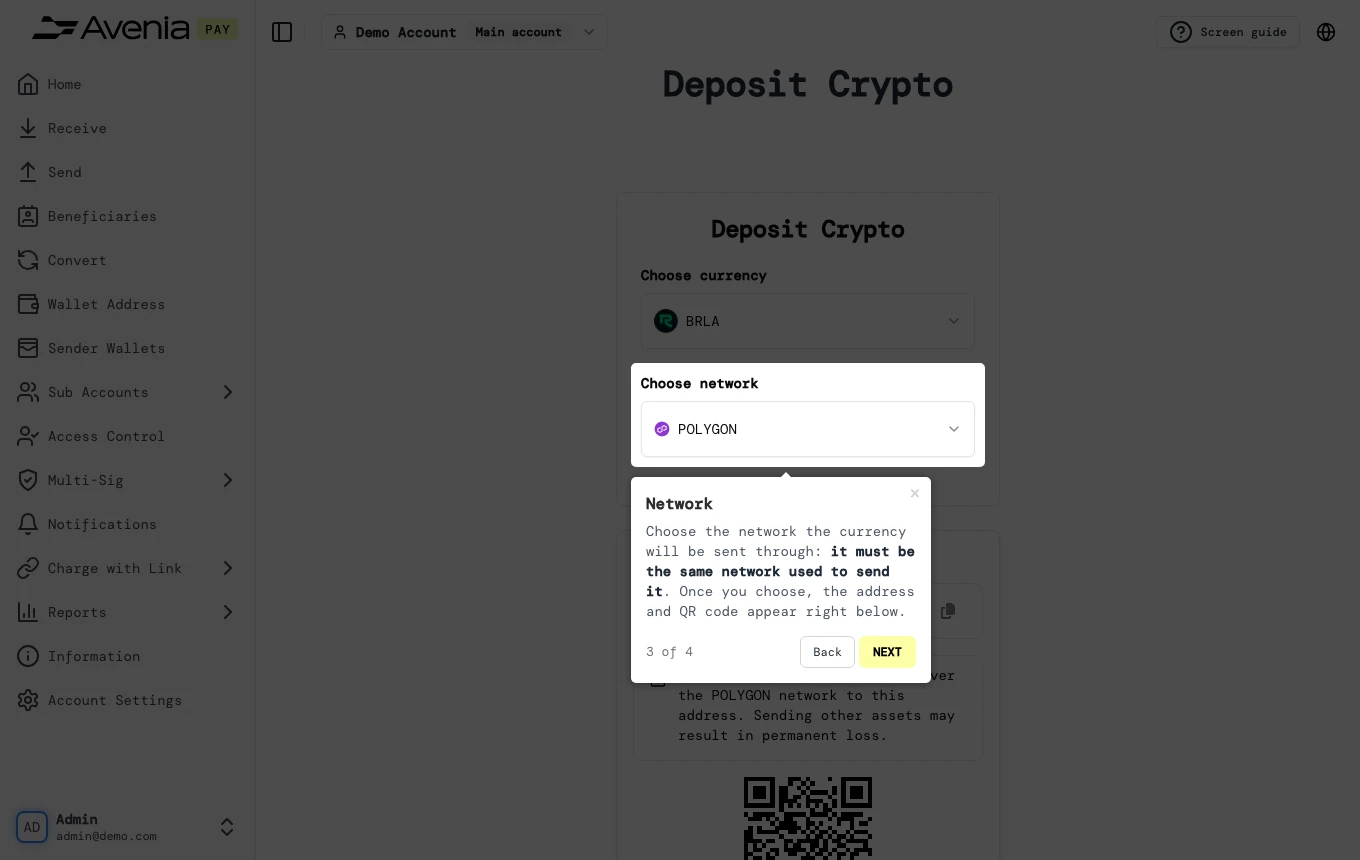
2. Network
Choose the network the currency will be sent through: it must be the same network used to send it. Once you choose, the address and QR code appear right below.
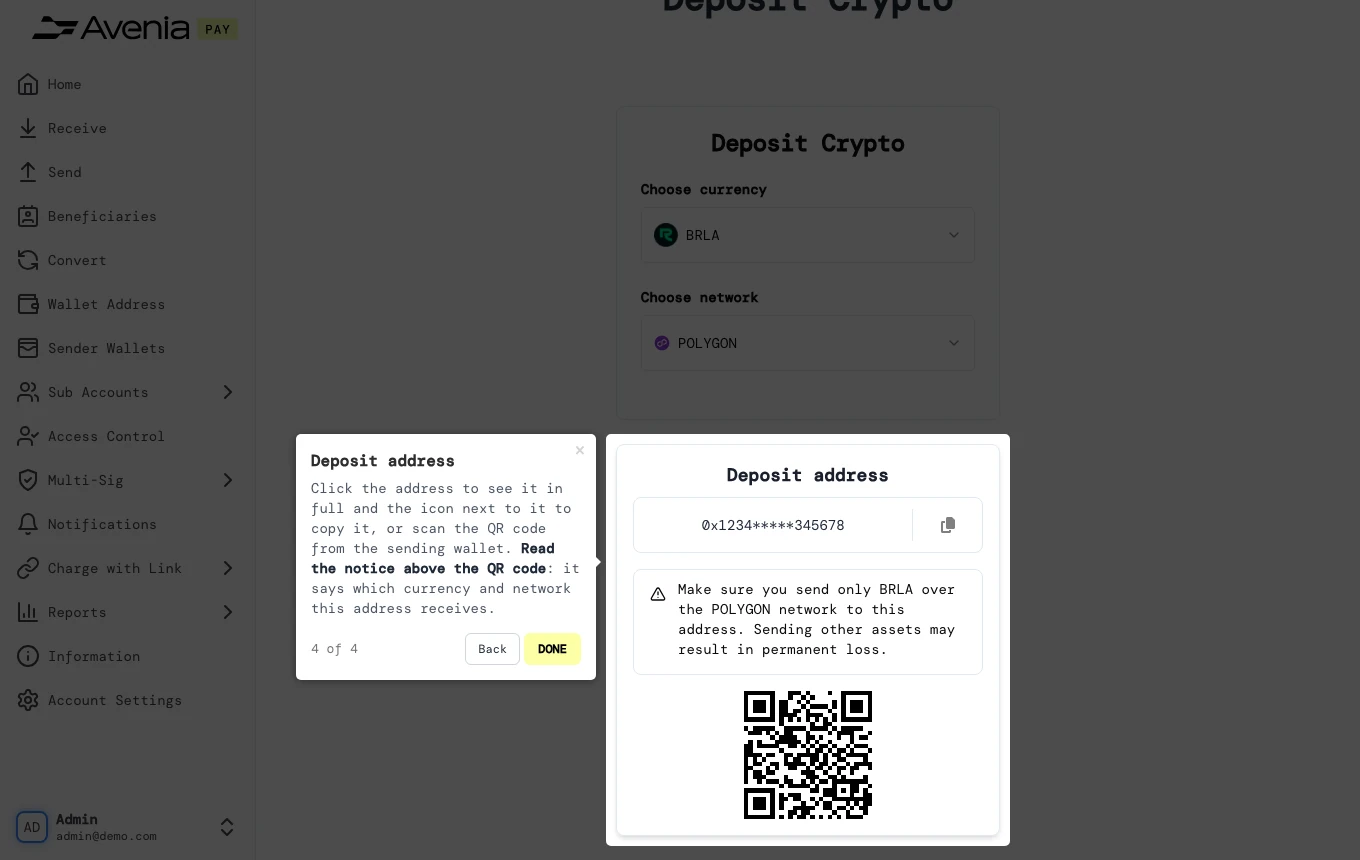
3. Deposit address
Click the address to see it in full and the icon next to it to copy it, or scan the QR code from the sending wallet. Read the notice above the QR code: it says which currency and network this address receives.
Screen guide
The Screen guide button at the top of this screen in the dashboard walks you through the same steps over your own data.