USD deposit
Send the transfer (wire or ACH) from your bank to the account on this screen. Nothing is debited automatically: you make the transfer yourself.
- Where: Opens when you confirm a deposit on Receive paid by a USD bank transfer. Leaving it does not cancel the deposit; you can follow it on the home page.
- Who can use it: every access to the account, view-only included.
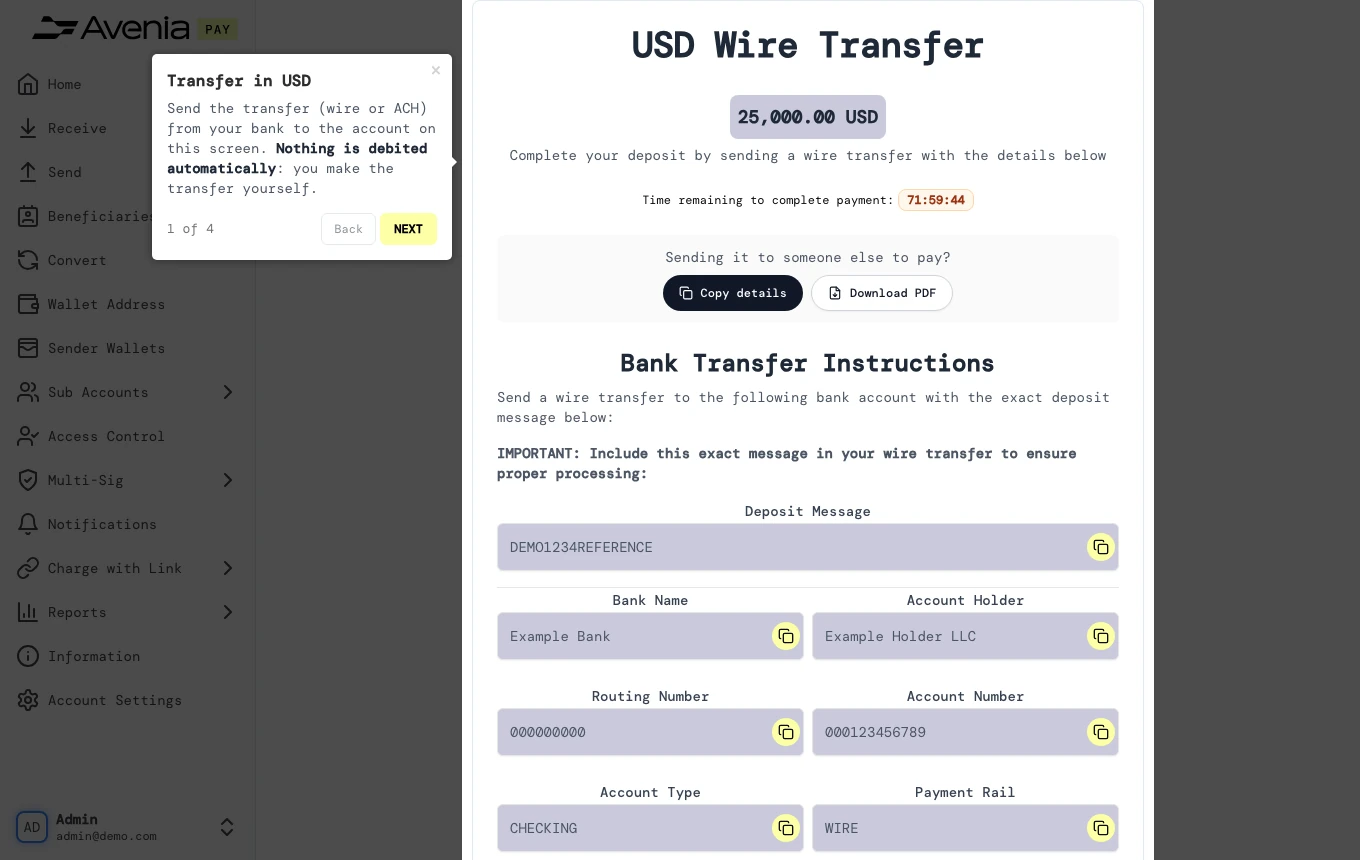
Step by step
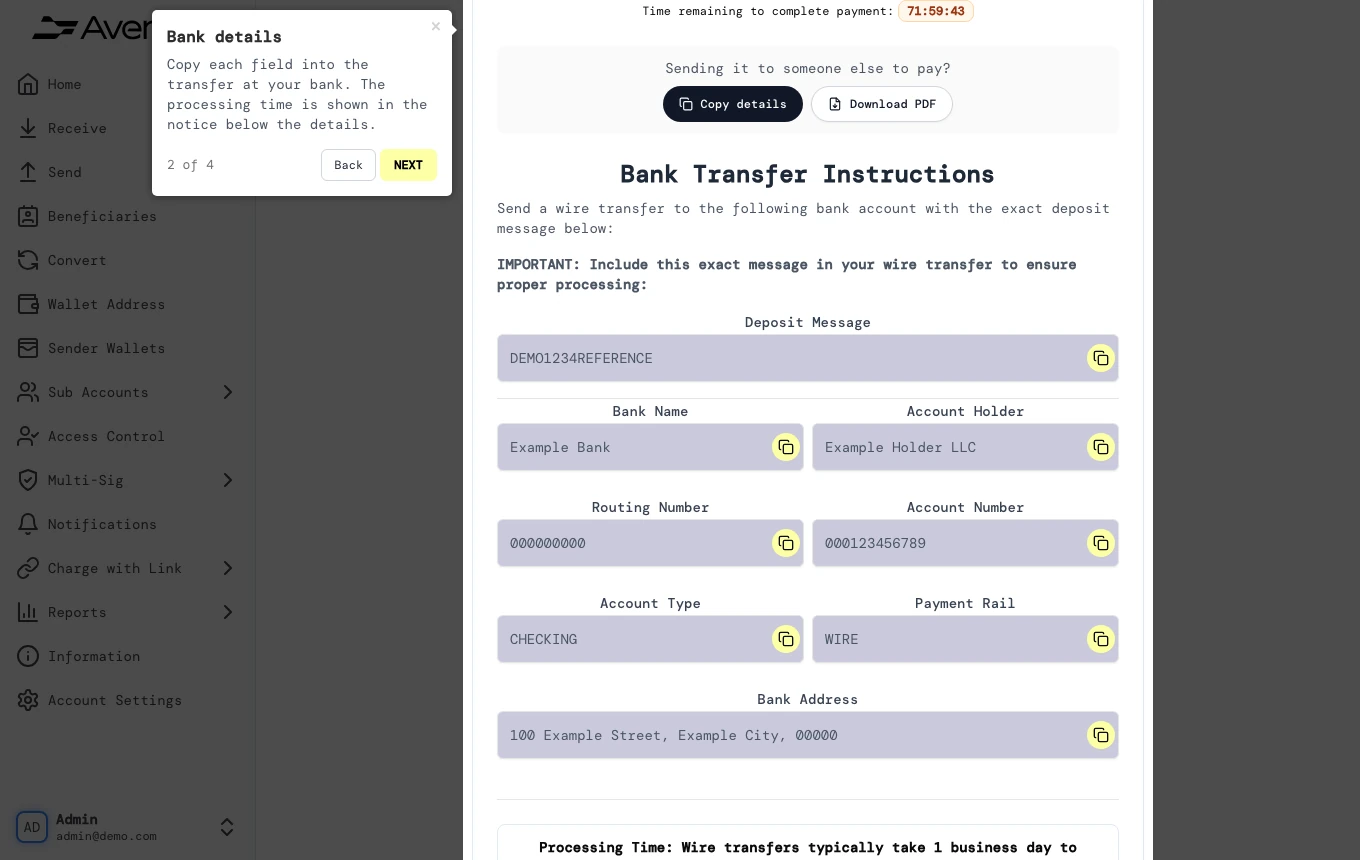
1. Bank details
Copy each field into the transfer at your bank. The processing time is shown in the notice below the details.
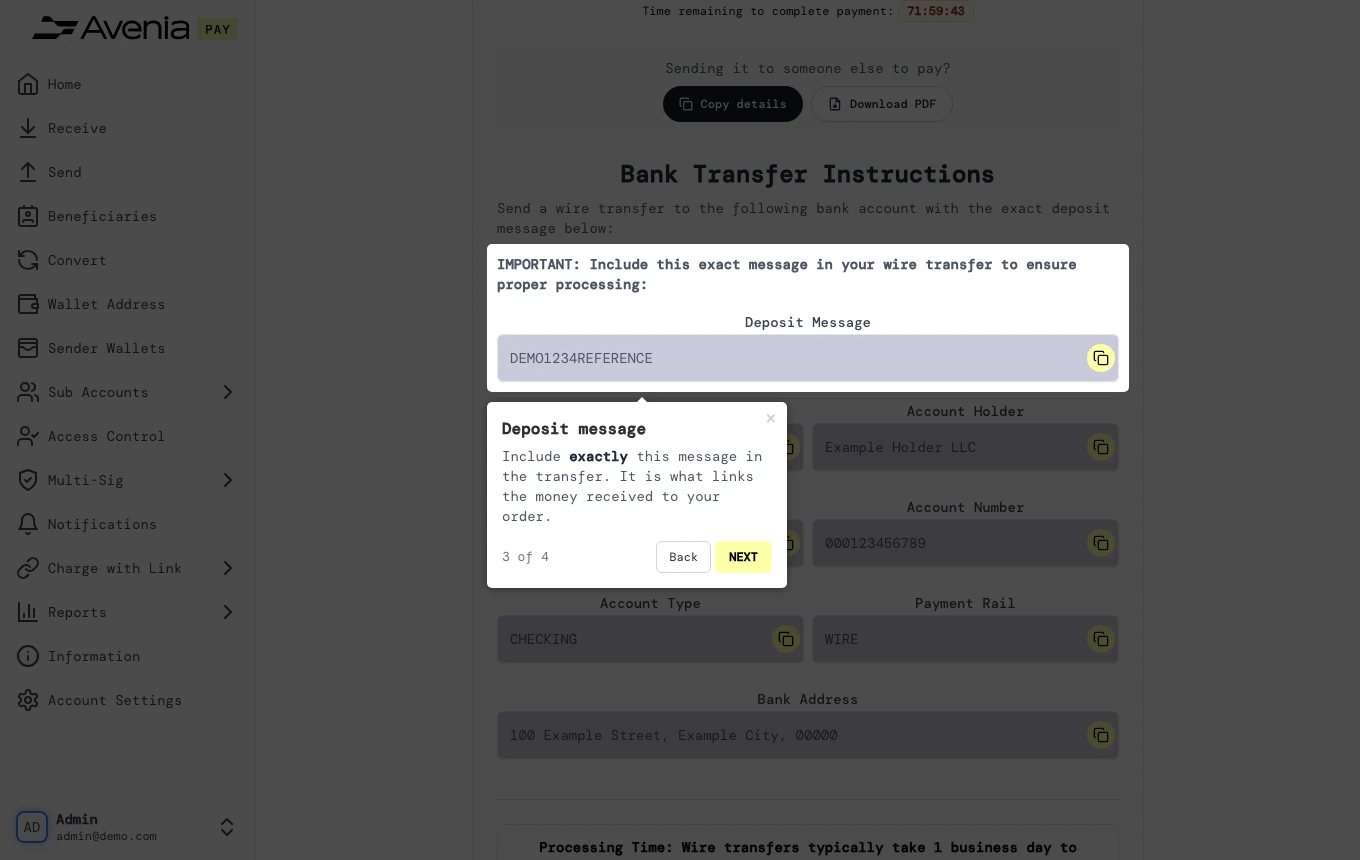
2. Deposit message
Include exactly this message in the transfer. It is what links the money received to your order.
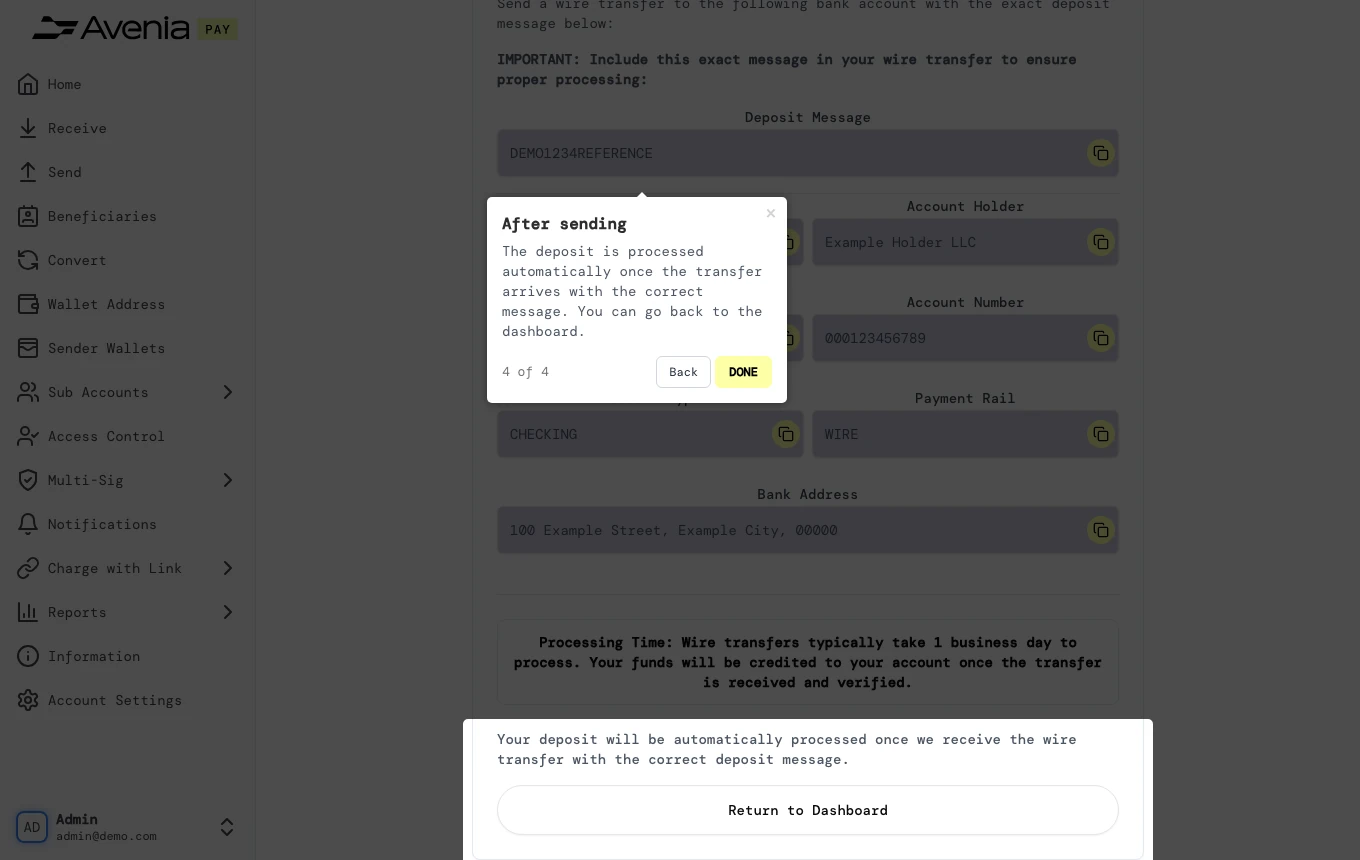
3. After sending
The deposit is processed automatically once the transfer arrives with the correct message. You can go back to the dashboard.
Screen guide
The Screen guide button at the top of this screen in the dashboard walks you through the same steps over your own data.