PIX payment
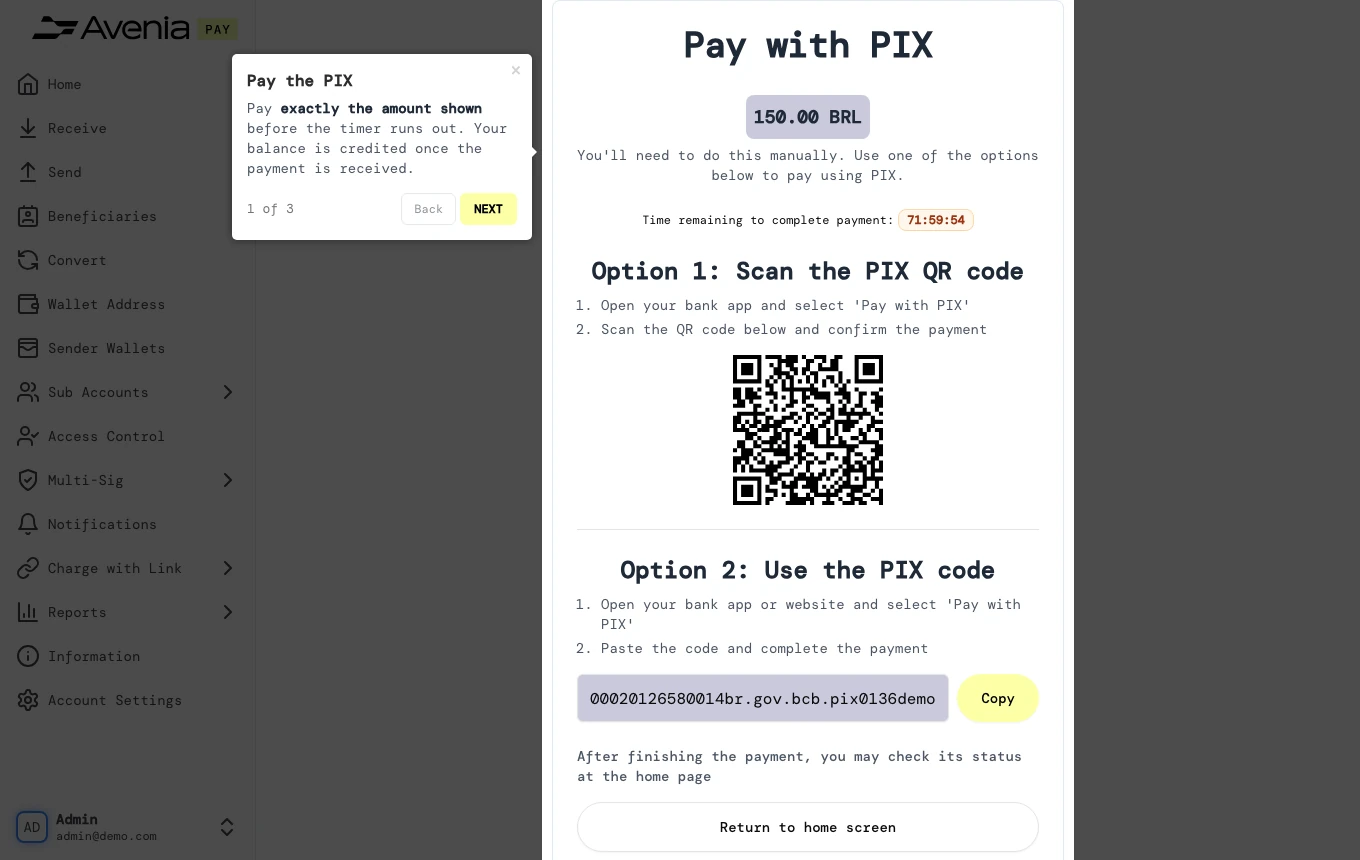
Pay exactly the amount shown before the timer runs out. Your balance is credited once the payment is received.
- Where: Opens when you confirm a deposit on Receive paid by PIX. Leaving it does not cancel the deposit; you can follow it on the home page.
- Who can use it: every access to the account, view-only included.
Step by step
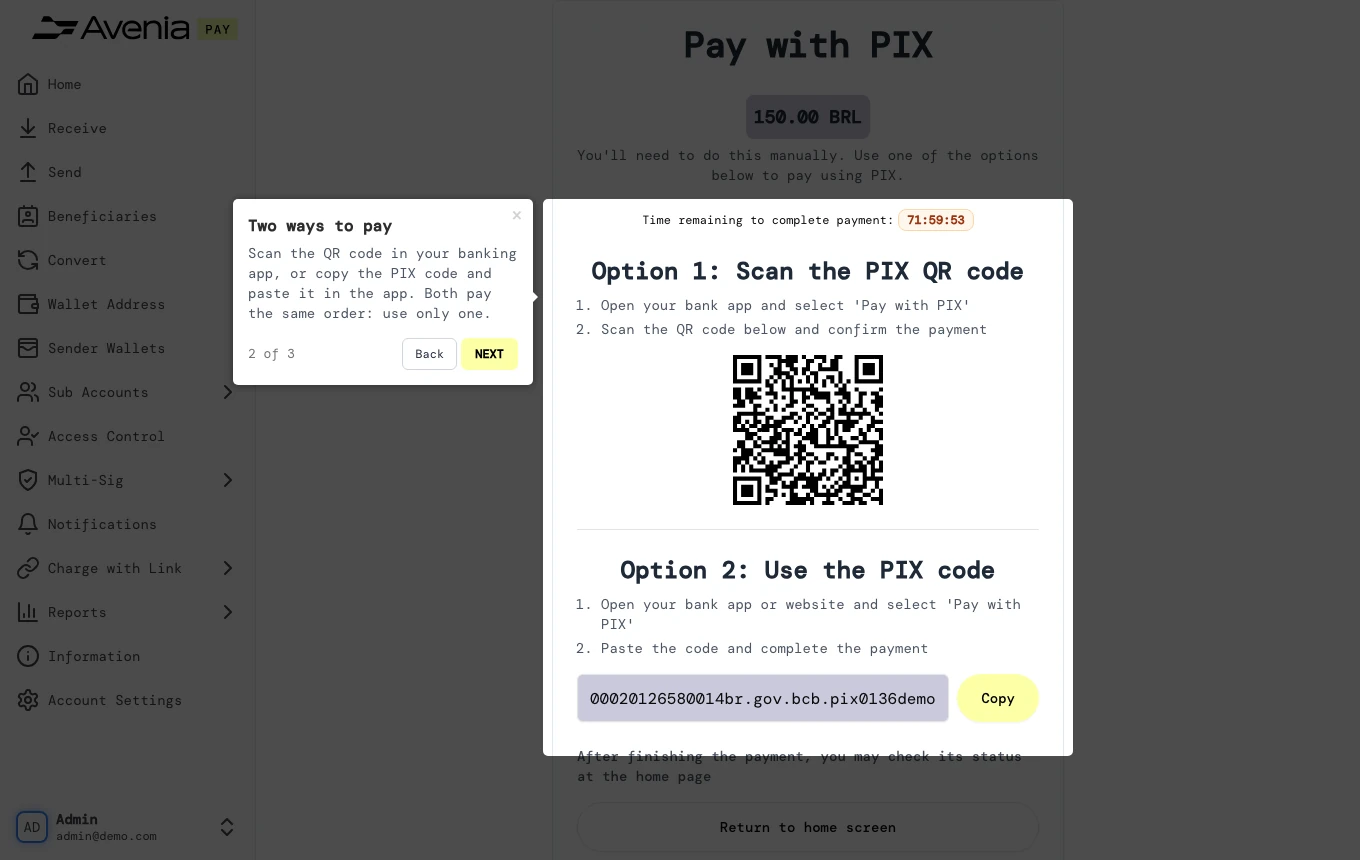
1. Two ways to pay
Scan the QR code in your banking app, or copy the PIX code and paste it in the app. Both pay the same order: use only one.
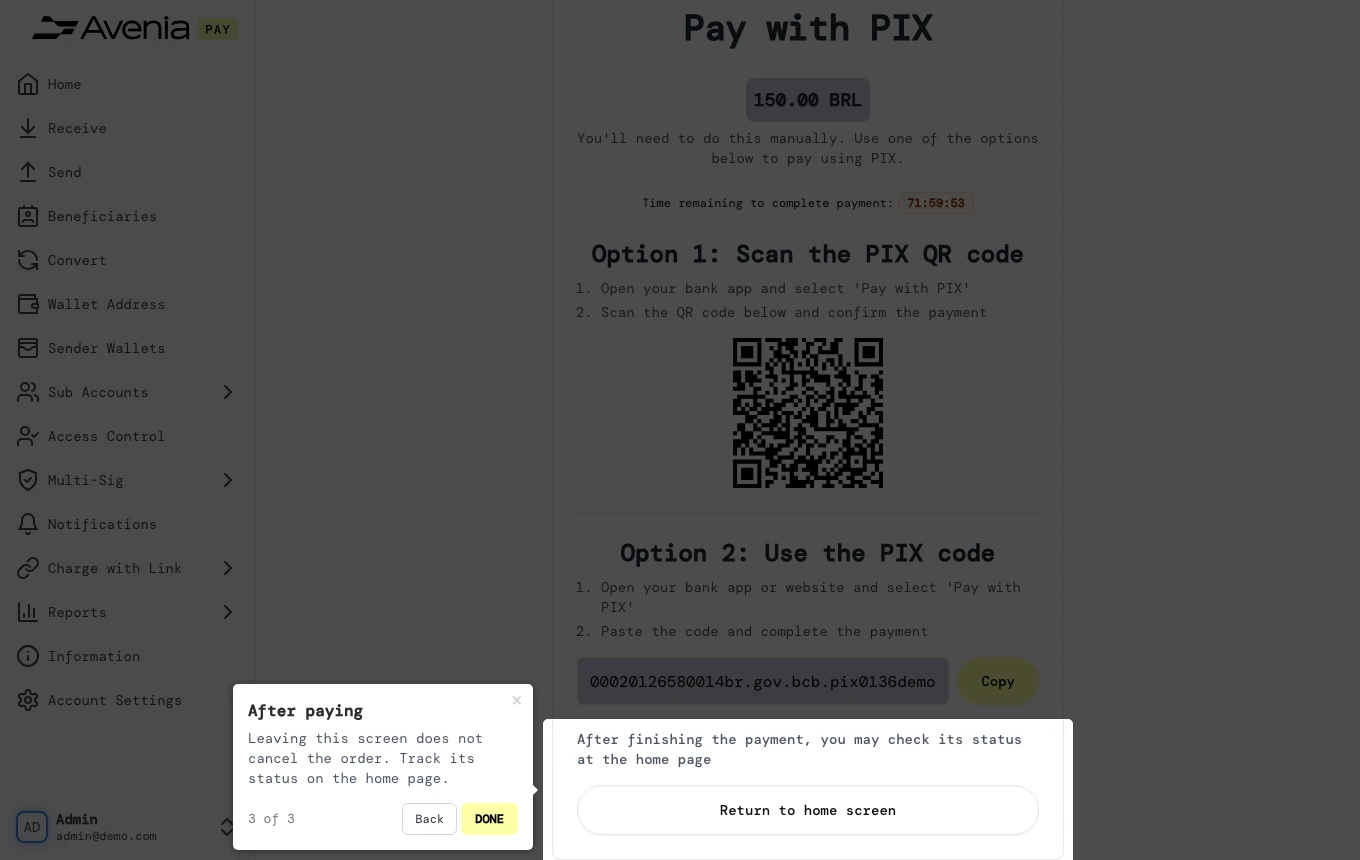
2. After paying
Leaving this screen does not cancel the order. Track its status on the home page.
Screen guide
The Screen guide button at the top of this screen in the dashboard walks you through the same steps over your own data.