Manage Assets
Move balance between your main account and your sub accounts, or between two sub accounts.
- Where: Side menu → Sub Accounts → Manage Assets.
- Who can use it: the account administrator and accesses allowed to move balances between accounts.
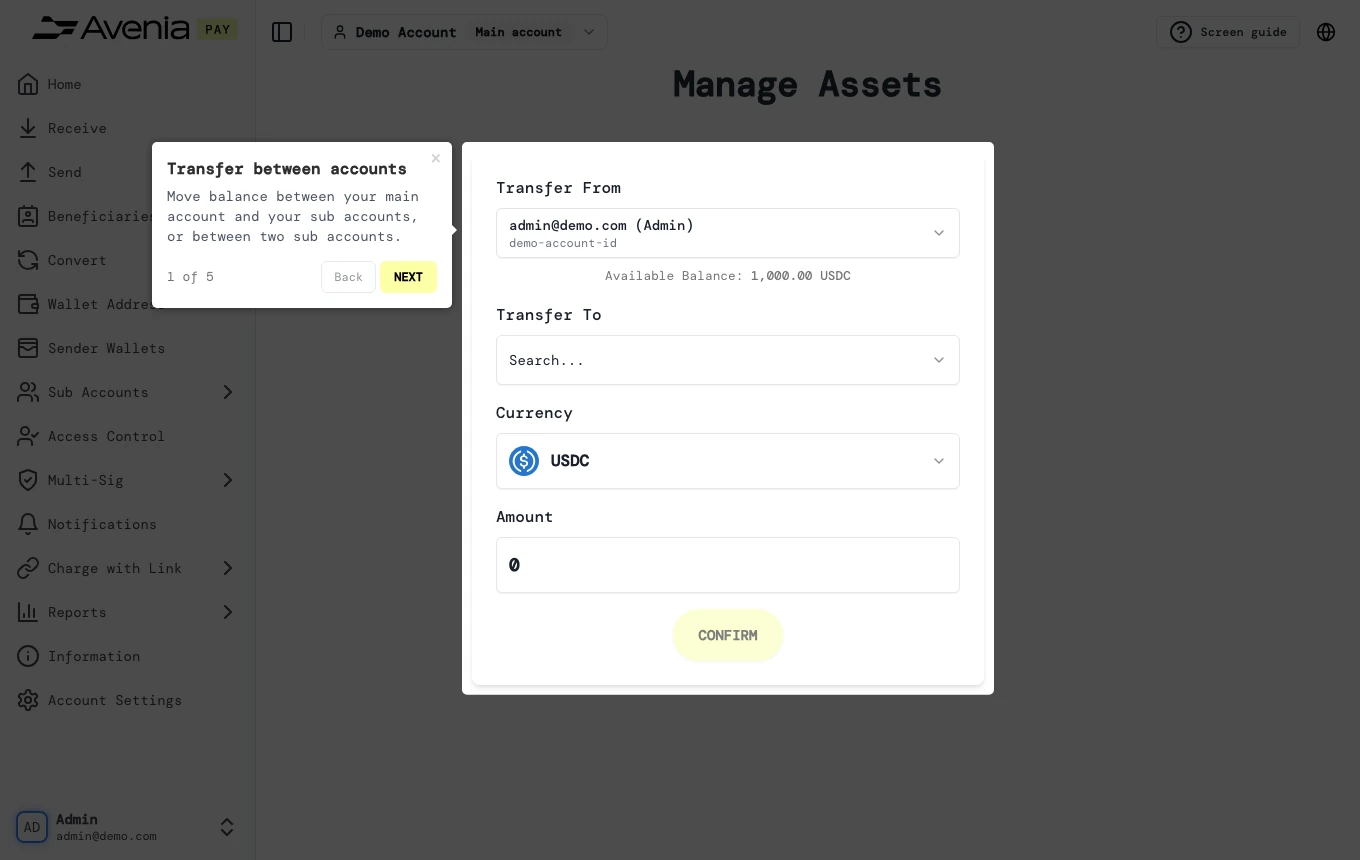
Step by step
1. From
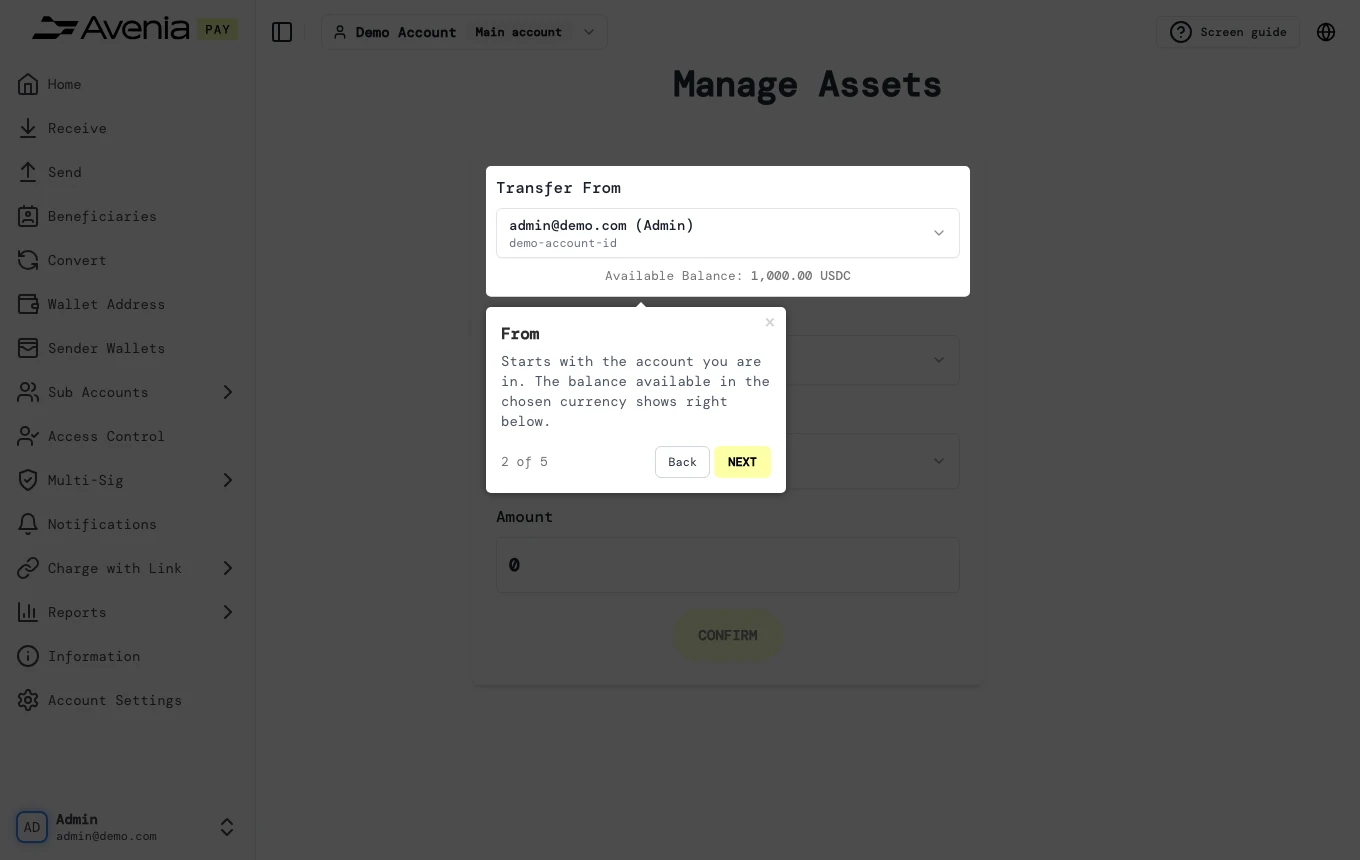
Starts with the account you are in. The balance available in the chosen currency shows right below.
2. To
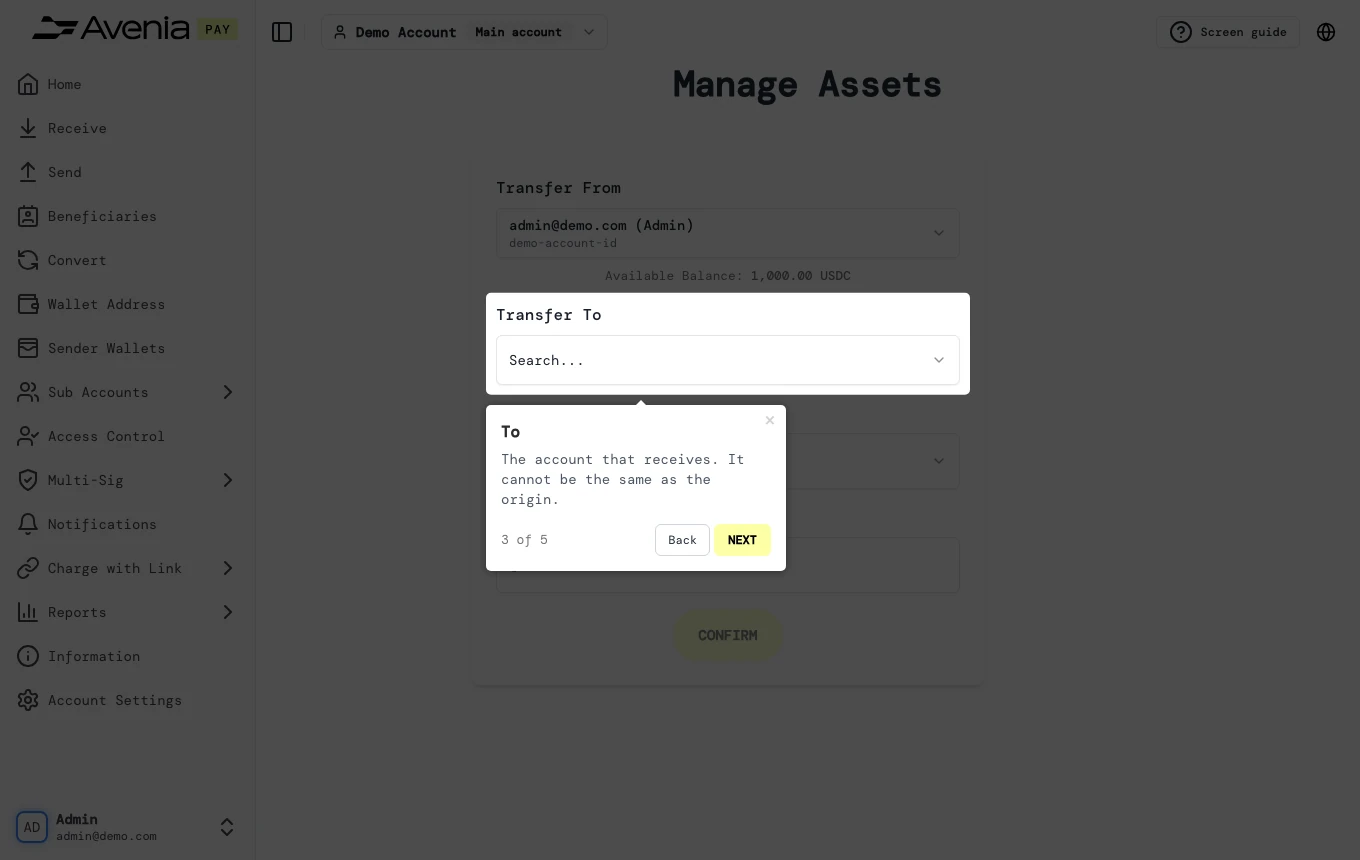
The account that receives. It cannot be the same as the origin.
3. Currency and amount
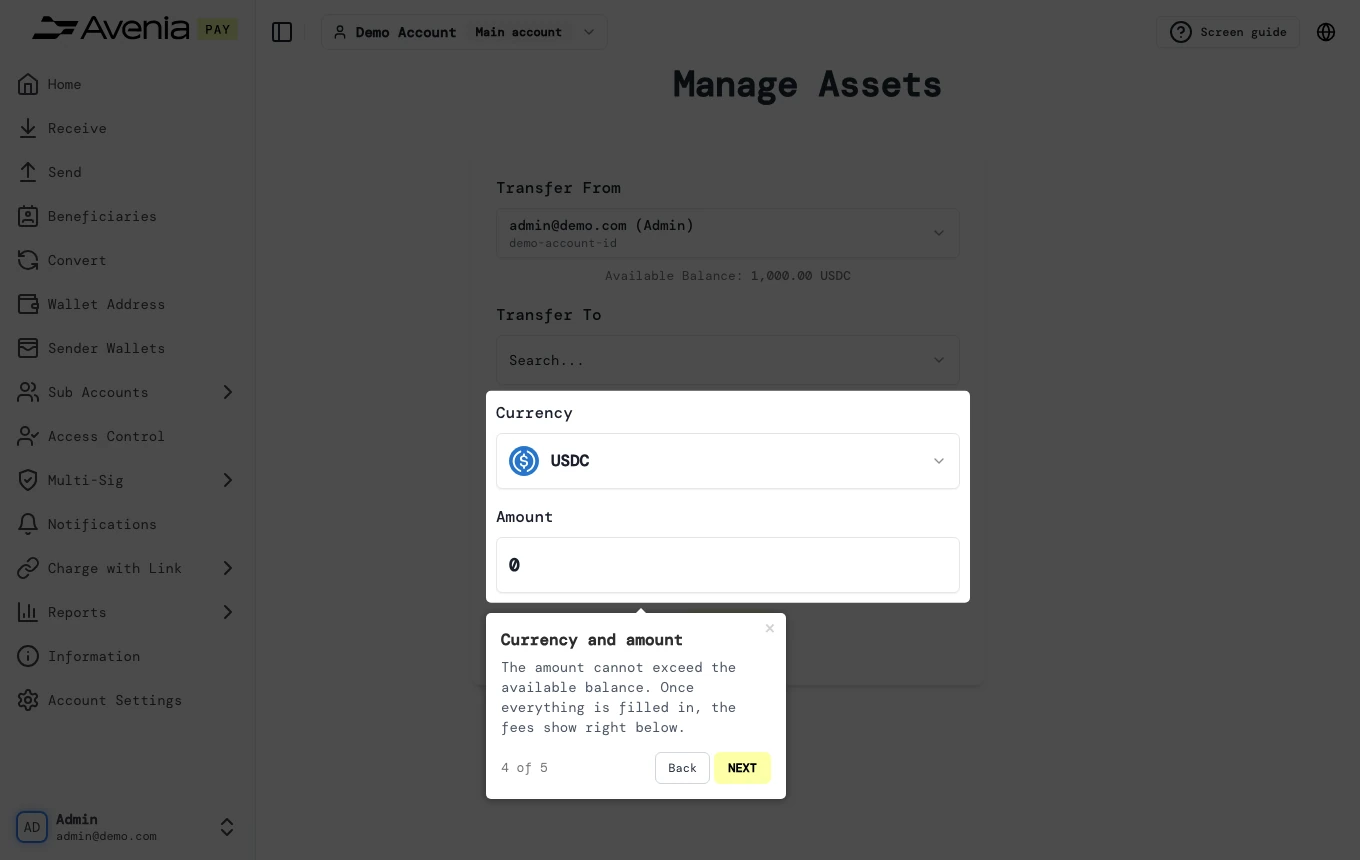
The amount cannot exceed the available balance. Once everything is filled in, the fees show right below.
4. Confirm
Creates the transfer. Disabled until both accounts are verified and there is a quote.
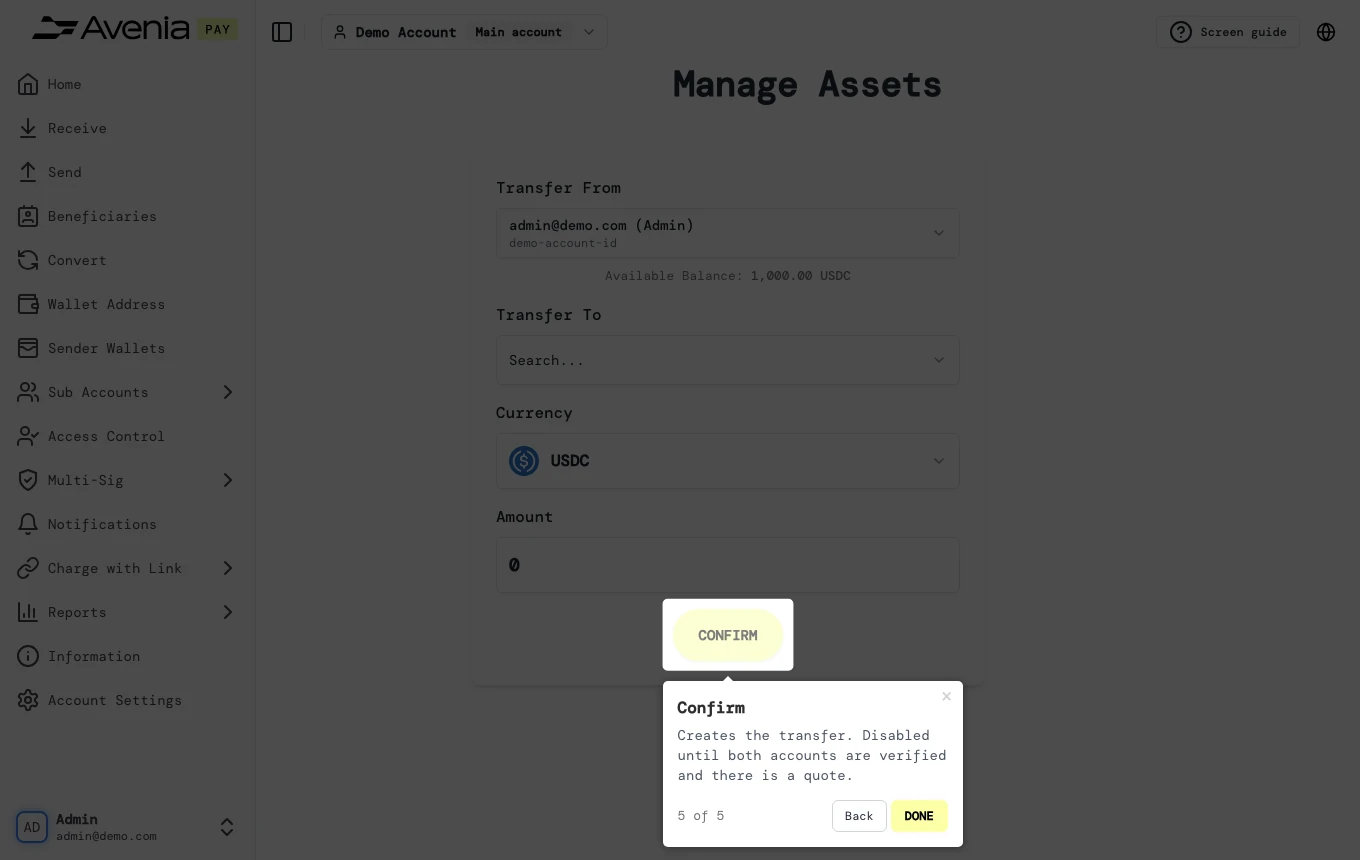
Screen guide
The Screen guide button at the top of this screen in the dashboard walks you through the same steps over your own data.